Showing posts with label Updates. Show all posts

Sunday, March 15, 2020

Uncertain Times You (& I) CAN Do

Today's post was originally going to be incredibly different from what I'm writing ... it's hard to even believe. A week ago, I was coming off the high of working on a wonderful project (which I was going to share, but I'll now save for next week) and now I'm at the beginning of a mandated 3 week shut-down of school.

Let's start by saying this: these are uncertain and historic times. I could NEVER have anticipated this. Prior to Thursday, my district hadn't even closed a single day for the flu! I had been aware of the stress and concern over the COVID-19 disease through my email threads but it hadn't really hit home. When I received the request from Becky, my curriculum director, on Wednesday asking us to clear Thursday morning schedules to meet and help plan for the potential closure ... it hit home. She never asks us to clear our schedule.

During our pre-planned in-service day Friday, we rolled out the best plan we could to our staff. Becky had already given the staff her expectations and guidance via an email. She & other district leaders were making their way to each building on Friday to address the staff in person and answer questions. I was to work with my elementary buildings to come up with distance learning opportunities. As I worked with each grade level team, I reiterated Becky's expectations and did my best to support them. I was so impressed with these teams that I left Friday feeling incredibly confident in our elementary plan for distance learning.


I want to share a few of my take-aways from Thursday & Friday, as well as my plans for the next 3 weeks.


Take-away #1 - 
THIS IS HISTORIC. I've had snow days off school. I've had cold days off school. I even had a few days off when the remnants of a hurricane created a multi-day power outage (important to note I'm in Ohio). I've never had a governor-mandated closure. As one of the kindergarten teams noted in their letter home ... we are all witnessing history! We will all look back one day and remember this. We will learn from these days and we will -hopefully- be stronger.

Take-away #2 -
This is NOT a vacation. This is more so for the mom in me ... I have 3 daughters who are also out of school. They know this isn't normal and I don't want them to be scared. But literally ALL of their activities have been cancelled. ALL of them. As we ate dinner last night, we talked about it not being a vacation. The younger two were sent home with most of their workbooks and the oldest has her school-issued device. They will be expected to be doing "something". I told them we aren't going to stay up late and sleep in late and we are going to have some designated learning time. (Don't worry, I'm not super mean - but I have always believed in a routine of some kind!)

Take-away #3 -
This is NOT homeschooling. I am not becoming a homeschooling mom overnight. I even tried my best to stress this to my teachers, we can't expect the parents of our students to become teachers either. I want my girls to have learning opportunities during this time - preferably from their teachers - but at the least, reading books, doing some writing, and practicing math in some way. I'm not interested in mastering 3 different grade levels worth of content, nor do I want my daughters to be stressed over gaining 3 weeks worth of curriculum at home during this time. Let's be honest - we need to stay healthy and maintain where we are now. Also, we are going to have a LOT of family time, too. We need to keep busy in a different way because we are going to be together a LOT. (Even more so if my husband is told not to come into work any more either ...)

Take-away #4 -
We WILL be slowing down. While this is being forced upon us, I'm not going to say it's all bad. I had even commented in my blog just last week, that time hasn't been my friend and if I could have skipped sleeping, I would have. Guess what? I now have enforced time to really slow down. No running to soccer or basketball or dance ... no cramming in dinner ... no need to set my alarm (but I will ... keep reading to find out why) ... and so on. We are going to experience a very different way of looking at time.

Take-away #5 -
I can choose what I want to focus on. I better understand COVID-19. I better understand it's potential impact. I better understand how I can be smart about protecting myself & my family. Armed with this knowledge, I also am better able to focus. I will focus on keeping things simple ... keeping things "normal" ... keeping things "regular" ... and helping my family and colleagues to do the same. It'll be a different looking normal and regular, but I'm eager to learn.

With all of this being said ... what am I planning to do?

Project #1: Daily planning
Continue my daily planning. Around Christmas break, I started each day with a daily plan. I had listened to Rachel Hollis (of the "Girl, Wash Your Face" fame) and she shared the journaling she had been doing for years. I have faithfully done this EVERY. SINGLE. DAY. since. I set my alarm for 10 minutes earlier, just to fit it in. It has been a fabulous way to start my day and looking back at previous days really helps me to see what I have/haven't accomplished. I'm going to insert the "plan" that I've followed, slightly adapted from Rachel's plan. Feel free to use it or adjust it.

My "take" on Rachel Hollis' journal.

Project #2: Blogging
I've got a plan rolling around in my head how I can use these next 3 weeks to better support my colleagues (and you, my readers). Nothing wild and crazy, but what a better time to try out a new idea than when I'm not incredibly pressed for time? Look for something soon! 

Project #3: Keeping in Touch
I am planning on keeping in touch with my colleagues over this time - so here's your warning! 😁 We have to keep this time away as human as possible. There's always the phone, video conferencing, texting, and email (and probably more options I'm not remembering right now).

Project #4: Keeping a Routine
Like I mentioned above, I'm going to stick to a routine. I'm not going to get up at the same time, but I AM going to set my alarm so I keep my body in a rhythm. I'm not going to stay up until all hours of the night. (I'm going to do the same for my daughters.) I'm going to keep up my workout routine - as much for my mental health as for my physical health. We are going to eat breakfast/lunch/dinner around "normal" times. We might even do some "home ec" and do some baking and cooking! We are also going to do school work Monday-Friday and keep weekends less structured.

Project #5: Home Improvements
What better time to tackle some home improvement than a time where staying home is being encouraged? We've already painted my oldest daughter's bedroom and now we are moving on to replacing carpet with new flooring. My girls are getting some much needed manual labor experience!

Project #6: Continue My Own Learning
I'm currently taking a break in-between coats of trim paint to write this. Since this is really a one-person job, I am able to catch up on some podcasts. While my girls do their reading, I'm going to be able to read books of my own! This is something I've really gotten away from. First up - "Vintage Innovation" by John Spencer. There are a few online activities I might also dip my toe into ...


My bottom-line is I'm going to do my best to keep myself (and my family in as "normal" a routine as possible so we don't get lost in the crazy of this time. We are going to navigate this time - together - as best as we can. I hope that you do as well. Don't be afraid to reach out if you are not feeling connected ... we are all here and we are blessed enough to have multiple ways to connect without being in person. Please take care of yourself and your family and stay healthy!

And when we go back ... and we WILL go back ... I hope I do it better and stronger than I did before. 💖

If you have any questions or comments or if I can help, PLEASE reach out. Please comment below, reach out on Twitter, @kiefersj, or email me at Sarah@techyoucando.com .

#WeAREBetterTogether


Monday, December 30, 2019

A Look Back and Planning Forward ... I Can Do

Today is my final post for the year & I want to look back on 2019 and share plans and ideas for next year.

2019 was a good year for me. A really good year. I love my job. I can't say it enough. I do. And I know I'm very lucky to be able to say that. I've worked with teachers and students on many different projects and I look forward to continuing in 2020.

I also set a pretty major goal for myself in 2019 - to become a Google Certified Innovator. I applied in 2018, but didn't make it. I was devastated (just ask my husband). I knew I needed to submit a much higher quality application the next time, and worked on my application throughout the first half of the year. I have to give a huge shout-out to Becky Tompkins - she reviewed my application and gave me great feedback. I couldn't have done it without her. Over the summer, I focused on, what was for me, the most daunting piece of the application - the video. After realizing a cartoon video wasn't really "for me," I called on my youngest daughter to help with the creation of a screen-recorded Google Slides. She took pictures of me - I used the website Remove.bg (no longer operational) to remove the background. (She did such a wonderful job!) I also used Bensound.com for background music. I was thrilled with the way it turned out. This time, I knew I submitted the best application I could have. On August 13, I spent the day checking email and Twitter ... until about 9 pm when my husband showed me the tweet announcing the NYC cohort with my name on it!!! YAY!!! What an incredible feeling and experience! I'll share more on this later, but I want to give a quick shout out to my sister - Angie - for being my travel buddy on this adventure.

2020 is going to be another good year for me. I have my Google Innovator project to work on and bring to life. I have been assigned an awesome mentor - Adi Aharon - and I look forward to working with her. I have the added bonus of support from my curriculum director - Becky Tompkins - as I continue on this journey. My project focuses on helping teachers achieve the goals they set for themselves. Look for more to come!

I also look forward to adding to Templates for Teachers, the site Beth Kingsley & I co-created. We share out templates we've created for other teachers to use (& modify if desired). So far, we have 76! They are all made with Google, so it's super easy to make your own copy. 

Another project on my radar has to do with one of my other passions - the 8th grade Washington, DC trip I co-coordinate with Alyssa Bruck. Two years ago, I created an "app" for our trip. I used Google Slides. I made version 2.0 for last years trip and I have already started on version 3.0 for the November 2020 trip. Super excited about this!!!

I plan to continue sharing here on this blog. Ideally, I will post on Sundays, but  sometimes (like this one) I'm not able to. I also will continue to share out on my companion blog, TYCD: Resources. I'd love for you to check it out! On this blog, I share resources I've come across that I feel have some value. I keep it short & sweet and focus on the link, the audience, suggested content, targeted grade level, along with a short review. This is typically a Tuesday posting. And on Thursdays, I've been selecting a previous blog (from either one) and sharing that out, too. I've called it "#ThrowbackThursday"'s. If what I share is helpful for you, I encourage you to subscribe - to both blogs, so you will not miss a posting. I also share each blog out on Google+, Twitter, Wakelet, Pinterest, and Facebook.

Finally - I want to thank you, readers. Thank you for reading. Thank you for your comments. Thank you for your support. I hope 2019 was a good year for you and that 2020 will be an even better year! As I re-read through this, I notice a common theme. I'm not doing it all on my own. My family, my friends, my colleagues, and you are there with me every step of the way. I hope I am there with you, too.

Please don't hesitate to reach out if I can support you:

Monday, September 3, 2018

Google Classroom You Can Do - Part 3: 5 Ways to Go Beyond the Basics

Welcome to the 3rd, and final, segment in my series about the *new* Google Classroom, with a *bonus* post devoted to how you can learn more about the recent updates.


If you want to start from the beginning, check out my previous posts:


Once you have your Classroom up and running, you might want to start thinking about what's next. It's one thing to have a digital classroom - it's great! But did you know you can do even more? That's right ... some of these are about going beyond IN with your class and some are about going beyond OUTside of your class.


Be brave. Try at least one of the following in the next week or so ... then challenge yourself to try out each of them. They all provide a new tool with added benefits to your class.

Let's jump in.


1 ↬ Share to Classroom extension

This is an EASY one. Extensions provide additional functionality on your Chrome browser and this one is no different. This extension will allow you to literally "push" a website to the students in a Google Classroom you select. Select a class, "push" the site to your students, and within a handful of seconds, the students devices will change.

Imagine the benefits of using this with young students! On days where you don't want to pre-post a link in Google Classroom, or you come across a site on a whim ... this can be extremely helpful. This can be a great time saver, as well. 

You can use this extension to also add the site to an announcement, assignment, or question in a specific Classroom, too. An added bonus is your students can push sites back to you, too, but you choose to accept them or not. I can see doing research with older students, one finding something to share, this tool can help your quickly share out. 

If you only try one of these, please try this one! Teachers I've shown this to swear it's a game-changer ... and it's easy.

To read more, check out Google Classroom's support page.


2 ↬ Using private comments for feedback

I attended a workshop hosted by Alice Keeler, and one of the best tips she shared was how to share private feedback with student by using the private comments. No need to look up contact - no writing emails - easy to track who you've responded to. 

Sunday, August 26, 2018

Google Classroom You Can Do - Part 2: Up and Running

Last week I focused on how to create your Google Classroom. There is a lot that goes into creating a Google Classroom. If you need to read more, here is a link to last week's post - Google Classroom You Can Do - Part 1: Creating.

Now that you are ready, let's get going on using your Classroom. I can't possibly give you all the ways to use Google Classroom, but I'll share as many as possible. The updates give teachers some pretty awesome new tools and features. The basic layout has changed. 

Let's get moving and check them out.

The Tabs ↬ Stream, Classwork, and People


THE STREAM
The stream is still there, but it has had some changes. It now is only for announcements. Personally, I like this. It helps organize information for you and your students. Your announcements - purely the info you want to share, post, tell, has it's own section. 

Suggested uses:
  • morning message ↬ welcome students and give them direction on what to do
  • share important information about upcoming events, such as field trips or class activities
  • share videos or links to class or school related items, but not necessarily content related items
  • a location to post homework information

CLASSWORK
Definitely the BIGGEST change! The purpose of this tab is just what it's name says - it's where you post your Classwork. This is far more than just a "new spot". Topics can be created, allowing for even more organization!

Suggested uses:
  • If you are self-contained, you could create a topic for each subject. For the littlest learners, this can greatly assist them in finding the work.
  • a topic per chapter or unit
  • a topic for classwork, quizzes, homework, etc
  • in ELA --
    • a topic for reading, writing, grammar, etc
    • possibly a topic for each major theme covered in class

The option to create assignments and questions has moved from the lower right corner to the top, more on the left. You will also find quick access to your Google Classroom Drive folder and your Calendar for this class. 


***Note: if you created your Google Classroom before mid-August, you most likely won't see this tab. Google says it's coming, but no exact date has been given.

Sunday, August 19, 2018

Google Classroom You Can Do - Part 1: Creating

Google Classroom has released some changes recently. My job is to support classroom teachers and the students they serve. This time of year, we welcome our new staff. Not all are brand new teachers, but some are brand new to Google &/or Google Classroom.

Today I want provide steps to create a Classroom as well as some things to keep in mind. This isn't only for brand new teachers, either. I've been lucky enough to attend workshops and work with numerous teachers and talk about the reasons why they have their classes set up the way they do. 


STEP 1: SIGN IN
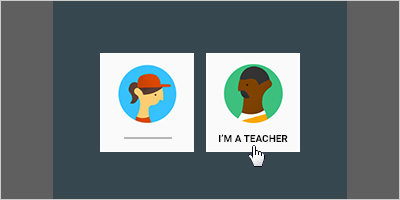
To get started, go to classroom.goolge.com . If this is your VERY first time, you'll need to ensure you indicate you are a teacher. Likewise, when you have your students navigate to the same URL, make sure they select they are a student.
I
Photo from Google Classroom's Help page
STEP 2: DECIDE ABOUT YOUR CLASSROOM(s)
Here is where every teacher is going to be different. You may not think too much about this initially, but here are questions you will want to ask yourself when creating classroom(s).
  • What is the age of your students?
  • How much do you plan on using Classroom?
  • How does your brain organize your daily teacher life?
I ask these because it will help you decide if you should have 1 classroom for everything ... 1 classroom for each subject/content you teacher ... 1 classroom per period ... etc. We live in a digital world, whether we like it or not. Our students need to be able to function in a digital classroom.

The younger your students, the fewer classrooms you most likely will have - Classroom probably won't be the main "vehicle" for content delivery. [It's perfectly ok if it is!] The older your students are the more likely you will use Classroom everyday - multiple times a day - to deliver content, assignments, projects, assessments, and more. 

Thursday, August 16, 2018

Google Classroom Updates You Can Do

The long awaited updates have officially been released for Google Classroom!

I have been curating helpful guides to best serve you ↬ we all learn so differently! My biggest take away is these changes gives Classroom a LOT more ... function, capability, & organization. It will take a bit of getting used to, but overall, I think they are great updates! 

Think about how you learn best and pick from the following - they all provide the same general info. 

Prefer to READ About the Updates?


Google's Classroom Help page ↬ Back to School 2018 FAQ

Eric Curts blog ↬ 9 Updates for Google Classroom (and 3 more to come) ↬ this is an EXCELLENT resource!

Susan Herder slidedeck ↬ Intro to Google Classroom

The Electric Educator blog ↬ Get Ready for the NEW Google Classroom


Prefer to WATCH About the Updates?

Google for Education [multiple short videos] ↬ Welcome to your first day of Classroom

Google for Education YouTube Channel  ↬ EDU in 90 (videos less than 90 seconds)

The Electric Educator's video [roughly 12 minutes] ↬ New 2018 Google Classroom Updates (detailed overview)

Thursday, June 28, 2018

Google Forms Update! Woot! Woot!

The day has come ... rejoice!!! If you are like me & you've been hoping - one day - Forms will allow you more control over the font of your Form and the colors of the Form ... the day has come!!!! G Suite users will soon (if not already available in your account) be able to do all of these things.


Click HERE to read the official announcement from G Suite.


Click HERE to go directly to the Docs Editor Help page which explains the "how to" do all these things.

Woot! Woot!