Thursday, March 14, 2024

Self-guided Student Projects You Can Do

I recently wrapped up a grading period with my students and I wanted to do something "different". They were all fairly proficient with technology and they had a wide variety of interests. I decided I couldn't find or create anything that would satisfy and challenge them all, so I went in the opposite direction. 

I didn't design a project. I gave them ALL of the power.

If your students are anything like mine, they BEG for control and choice. But, I've noticed they often don't know what to do with it when they have choice. So I decided to provide a framework for the project, but allow the students to fill in all of it.

You should have seen their faces. We had 5 days left in the quarter and I wanted them to spend time brainstorming and "researching" and asking questions, which would really leave about 4 days to actually DO their project.

I shared the "Self-guided Project" template with them in our LMS. We walked through it together. I asked them to list 3-5 topics they are interested in - whether because they already know a lot or because they WANT to learn. Then to think about the tools we've used in class, as well as ones they are already comfortable with (I suggested this might not be the project to "learn" a new tool). Then we talked about the audience. This one was tougher for them. I agreed teachers quite often are their audience, but that wasn't my goal with this project. We talked through why a project made for a kindergartener would probably look different than one done for an adult, a parent perhaps. And then we brainstormed together who some different audiences might be.

Finally, we talked about putting it all together. Since this was their first time with a project as open as this, I provided a list of potential projects they might want to consider, but strongly recommended they think creatively and that they could come up with something of their own design. Ultimately, their projects could be summed up in a sentence using this structure:

"I want to create a ___(fill in project) ___ about ___ (fill in topic) ___ for ___ (fill in audience) ___ using ___ (fill in tool)___."

They were off! It was awesome to see them design their project and move forward with them. Questions came up - help was needed - some projects finished quickly & new projects were designed with the same framework - some projects didn't get finished - but they all enjoyed it. Including me. 

The best part about this framework, it's not grade specific. It's not dependent on certain tools. If your students cannot handle ALL of the choices, you can fill in one or more of the components to guide them and as they gain confidence, you can reuse this with them and they will create something completely different.

I will definitely be using this again!

NOTE - as with most everything I do/create, the 1st rendition is rarely "amazing", so the version I'm sharing with you is somewhat different from what I used with my students. When I do it again, I wanted to be sure I was explicit with the four aspects - topic, tool, project, & audience - and I wanted to also have students create a Doc they could use more than once and not have to start over. 

If you'd like to make your own copy, please check out the "Self-guided Project Template" housed on my companion blog, Templates for Teachers. Feel free to look around at the other templates shared. You can make copies of any/all of them and then modify to best suit you.

If you use this with your students, will you let me know how it goes? I'd love to know.

Enjoy!


*** Every Monday, I share a newsletter with a collection of Tech You Can Do resources. It is delivered right to your inbox. Interested? 
Sign up here!  ***

Saturday, February 3, 2024

Docs Scavenger Hunt Middle School Students Can Do

My adventures are picking up and I'm ready to share one of my recent ones. My 6th graders have quite a bit of knowledge - I'm quite impressed! As they get older, I know they will depend more and more on Google Docs, so I wanted to be sure they build a solid foundation. I did as I have preached so often ... take what it's already there and modify it! 

Just about a year ago, I published "Docs Scavenger Hunt You Can Do" sharing how I modified from Catlin Tucker. Today I'm sharing how I modified this - again - for my current 6th graders. We moved well beyond basic formatting into some pretty awesome tools and capabilities. Depending on how much background your students have had with Google Docs, you may need to modify this or take portions out. 

You can get your own copy of the scavenger hunt for middle schoolers on my partner blog, Templates for Teachers. (Feel free to look around at the other templates housed there, too!)


*** Every Monday, I share a newsletter with a collection of Tech You Can Do resources. It is delivered right to your inbox. Interested? 
Sign up here!  ***

Sunday, January 21, 2024

Digital Citizenship We ALL Need To Do

Long before I stepped back into the classroom, I recognized a need for digital citizenship lessons in ALL classrooms. As a coach, I could recommend, support, and encourage. Now that I am back in the classroom, I have made it a very specific part of my lessons to incorporate digital citizenship. I encourage you to do the same.

I've always been a big fan of Common Sense Media and I decided to their curriculum for my students. Their curriculum is well laid out with full lesson plans, worksheets, and parent resources. Each lesson at the middle school level is planned for roughly 1 class period, so it's perfect to sprinkle throughout my courses. In my grade levels, there are 6 total lessons. It is a well thought out curriculum. 

... and it's all FREE. Yep. Free.

But I didn't stop there - I was granted permission to contact our local police department to see if they'd be willing to come in and speak to my students in addition to the lessons I cover. The police in the district I teach in are amazing! They not only agreed to come in, they worked with me to create their presentation tailored to our kiddos. During our planing meeting, I was also humored when their final request was to create a "pledge" they could send home with my students as a way to tie their visit to home. The humor came from one of the worksheets they gave me had McGruff the Crime Dog on it. I went to that safety camp as a kid! Wow! Talk about a throw back 😁 

We created a pledge and they chose some dates to come in and talk to my classes. When they showed up, THREE uniformed police walked in! The chief and two lieutenants. The three of them did a wonderful job with their presentation. The next day we reviewed the main points from the police and used Canva to create thank you's. Next up, I'm working to line them up to return for my round of students in 4th quarter. 

What we all agreed about is our kids can't hear enough about digital citizenship and online safety. Parents need to talk to their kids, teachers need to talk to their students, and if you can get other members of the community to talk to them too, by all means. The police department thanked ME for setting this up. I am beyond grateful they were willing to come in and talk to my students.

You can do this, too! If your school has a resource officer, it might be easiest to work with them. If you don't have one - like me - give your local police department a call. I'd be shocked if they refused. And it can't hurt to ask. Our kids need us. 

There are so many other resources out there ... check out these Wakelet collections if you are looking for more:

If you need or want help/ideas, please reach out!


*** Every Monday, I share a newsletter with a collection of Tech You Can Do resources. It is delivered right to your inbox. Interested? 
Sign up here!  ***

Saturday, December 16, 2023

Goals Your students Can Do

I am writing this as I finish up my first semester back in the classroom after 7 years as a tech coach. Whew! It has been an adjustment! First, it was in a new district. Second, it was an unconventional semester due to a pending change in the master schedule. And third, only recently have I felt myself getting into the groove and settling in (is that a sign of age???). 

Let me be clear - the staff have been great and the kids are great. But it has been change - and a big one for me. Reflecting on this time, I really do appreciate the way this transition worked out.

I spent this semester teaching coding classes. Some of the students were really into coding and some not so much. Some were confident with coding and a few could already run circles around me, but some were relatively new to coding. I saw very quickly this was not going to be a "one size fits all" class.

We started out with an inventory regarding their skill, interest, and what they wanted to do/learn about coding. Then we covered some "must have's" and "cannot's" in a program. From here, they evaluated Common Sense Media's list of "Best Coding Programs for Middle School' based on our requirements. We ended up with a handful of resources.

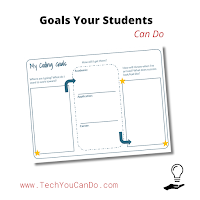
Enter Catlin Tuckers Goal sheet. I came across this right about the same time as we finished up our evaluations and I had a lightbulb moment. What if each student decided what THEY wanted to accomplish in coding, and from there, selected the resource that would best support them? Bingo!

To better facilitate this for them, I created a modified version of Catlin's goal sheet as well as a guide for the students. I called it "Coding Goal & Pathway". I broke the middle column down. The "How will I get there?" included a spot for an academic path, an application path, and a career path. Each student received the goal sheet on paper. They referred to the rest on their computer.

The "academic path" was to ensure a resource for them to do specific learning about coding.
The "application path" was the program they were choosing to create their project in/on.
And the "career path" was meant to expose them to future potential paths. 

Students were given the paper part and time to work through the goal setting process. Quite a few had great ideas for what they wanted to create or work on. And after having worked through the evaluation of the potential programs, most easily settled on the academic path that worked for them. We ended up having several "career exploration days" where we did this portion of their goals. As class progressed, I did check ins and provided support and feedback. They also took turns sharing their projects.

I believe it went well! I had several students complete their goal and move on to a second one. I also have a few that are continuing to work on their projects. I'm excited to see they want to continue to build and improve what they started.

Next semester I'm excited to have 6th graders. The focus of this class will be technology skills. I've got lots of goodies planned for them!

*** Every Monday, I share a newsletter with a collection of Tech You Can Do resources. It is delivered right to your inbox. Interested? Sign up here!  ***


Saturday, November 11, 2023

Planners Your Students Can Do

In late September, I shared how I have helped students with organization - they need a lot of help! - and I promised I'd be back with my thoughts on planners. It's 2023 - most schools are in 1-to-1 situations, so I'm sure the assumption is planners should also be digital, right? I disagree!

As with most of my advice, there is NO clear answer. There is NO "one-size-fits-all" answer either. There ARE a lot of factors to consider and there are a lot of options. That's part of the problem. Let's break it down ...


Factors to consider:
  • AGE - the younger the student, the more direct support needed - whether it's on paper or it's digital. This isn't news to you; this is true of everything! Younger students probably should have a paper option, especially if they are not 1:1 with a device they bring home from school.

  • TEAM/DISTRICT guidelines - ideally, you are working with a larger group to scaffold the supports and bigger picture of what using a planner looks like. What does the grade younger than you do ... what about the grade above you?

  • OPTIONS - ... do you have an LMS? ... can you provide paper planners? ... what does the parent side look like?

  • DEVICE SET-UP - if your students are 1:1, do they take them home? If a school device goes home, a digital planner might be a great option. If a school device doesn't go home, a paper planner might be a better option.
When my previous district went 1:1 with chromebooks, it was decided to NOT provide paper planners to our students. I was in a middle school - grades 5-8, I was teaching 7th & 8th - and it might seem like that is the logical step. I took a different approach. I created the following presentation to go over options with my students. Please keep in mind this was roughly 10 years ago ... I've not updated it. 

But it did help ... it showed my students there typically isn't just one way. They don't have to be locked into one path. It showed them they can make decisions. And ultimately, it allowed me to support my students in a manner that helps them.


If your district mandates one method over another, do yourself and your students a favor:

Follow it. Follow it with a passion. 

Don't complain about it to your students. We don't always get to choose our path. Be a good example of what to do when this happens.

Don't make keeping track of work a more difficult path than it needs to be. We are cramming so much content into our students on a regular basis, keep this as easy as possible.

Some kind of planner method is necessary in today's classroom. Picking the one that works best for your students is important, and hopefully can be a building or district wide one to make it something that truly works for ALL of the students, teachers, and parents.

How about you teachers???
Do you have a favorite planner? I am constantly on the look out for that "perfect" planner ... this school year I've got one that is a weekly lay out with a month overview. I'm finding the weekly lay out is my go to. If you've got a favorite, drop it in the comments ... I'd love to check it out! 

*** BONUS if it's a bullet journal!!! I'm fascinated by these, but super intimidated! ***


*** Every Monday, I share a newsletter with a collection of Tech You Can Do resources. It is delivered right to your inbox. Interested? 
Sign up here!  ***