Sunday, August 26, 2018

Google Classroom You Can Do - Part 2: Up and Running

Last week I focused on how to create your Google Classroom. There is a lot that goes into creating a Google Classroom. If you need to read more, here is a link to last week's post - Google Classroom You Can Do - Part 1: Creating.

Now that you are ready, let's get going on using your Classroom. I can't possibly give you all the ways to use Google Classroom, but I'll share as many as possible. The updates give teachers some pretty awesome new tools and features. The basic layout has changed. 

Let's get moving and check them out.

The Tabs ↬ Stream, Classwork, and People


THE STREAM
The stream is still there, but it has had some changes. It now is only for announcements. Personally, I like this. It helps organize information for you and your students. Your announcements - purely the info you want to share, post, tell, has it's own section. 

Suggested uses:
  • morning message ↬ welcome students and give them direction on what to do
  • share important information about upcoming events, such as field trips or class activities
  • share videos or links to class or school related items, but not necessarily content related items
  • a location to post homework information

CLASSWORK
Definitely the BIGGEST change! The purpose of this tab is just what it's name says - it's where you post your Classwork. This is far more than just a "new spot". Topics can be created, allowing for even more organization!

Suggested uses:
  • If you are self-contained, you could create a topic for each subject. For the littlest learners, this can greatly assist them in finding the work.
  • a topic per chapter or unit
  • a topic for classwork, quizzes, homework, etc
  • in ELA --
    • a topic for reading, writing, grammar, etc
    • possibly a topic for each major theme covered in class

The option to create assignments and questions has moved from the lower right corner to the top, more on the left. You will also find quick access to your Google Classroom Drive folder and your Calendar for this class. 


***Note: if you created your Google Classroom before mid-August, you most likely won't see this tab. Google says it's coming, but no exact date has been given.

Sunday, August 19, 2018

Google Classroom You Can Do - Part 1: Creating

Google Classroom has released some changes recently. My job is to support classroom teachers and the students they serve. This time of year, we welcome our new staff. Not all are brand new teachers, but some are brand new to Google &/or Google Classroom.

Today I want provide steps to create a Classroom as well as some things to keep in mind. This isn't only for brand new teachers, either. I've been lucky enough to attend workshops and work with numerous teachers and talk about the reasons why they have their classes set up the way they do. 


STEP 1: SIGN IN
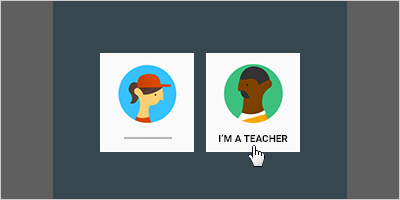
To get started, go to classroom.goolge.com . If this is your VERY first time, you'll need to ensure you indicate you are a teacher. Likewise, when you have your students navigate to the same URL, make sure they select they are a student.
I
Photo from Google Classroom's Help page
STEP 2: DECIDE ABOUT YOUR CLASSROOM(s)
Here is where every teacher is going to be different. You may not think too much about this initially, but here are questions you will want to ask yourself when creating classroom(s).
  • What is the age of your students?
  • How much do you plan on using Classroom?
  • How does your brain organize your daily teacher life?
I ask these because it will help you decide if you should have 1 classroom for everything ... 1 classroom for each subject/content you teacher ... 1 classroom per period ... etc. We live in a digital world, whether we like it or not. Our students need to be able to function in a digital classroom.

The younger your students, the fewer classrooms you most likely will have - Classroom probably won't be the main "vehicle" for content delivery. [It's perfectly ok if it is!] The older your students are the more likely you will use Classroom everyday - multiple times a day - to deliver content, assignments, projects, assessments, and more. 

Thursday, August 16, 2018

Google Classroom Updates You Can Do

The long awaited updates have officially been released for Google Classroom!

I have been curating helpful guides to best serve you ↬ we all learn so differently! My biggest take away is these changes gives Classroom a LOT more ... function, capability, & organization. It will take a bit of getting used to, but overall, I think they are great updates! 

Think about how you learn best and pick from the following - they all provide the same general info. 

Prefer to READ About the Updates?


Google's Classroom Help page ↬ Back to School 2018 FAQ

Eric Curts blog ↬ 9 Updates for Google Classroom (and 3 more to come) ↬ this is an EXCELLENT resource!

Susan Herder slidedeck ↬ Intro to Google Classroom

The Electric Educator blog ↬ Get Ready for the NEW Google Classroom


Prefer to WATCH About the Updates?

Google for Education [multiple short videos] ↬ Welcome to your first day of Classroom

Google for Education YouTube Channel  ↬ EDU in 90 (videos less than 90 seconds)

The Electric Educator's video [roughly 12 minutes] ↬ New 2018 Google Classroom Updates (detailed overview)

Monday, July 30, 2018

#PodPeeks: Talking Social Studies

I just HAVE to share this podcast with you!!! I had featured it on my final 8 #PodPeeks in July but I hadn't had the time to really dig deep into this one. That was until my daughter started conditioning for soccer and I had an hour to walk & listen & learn. Wow!!!! This is a GOOD one!

There are 2 episodes that I'm excited to share today - but don't limit yourself to these. Subscribe and listen to them all!


Episode 17: Got Rhythm (show notes)

I love history. I love the story it tells - I know it's not always a happy story, but it's a never-ending story. I also love music. There is so much music out there and it, too, tells a story. And to bring the two together??? WOW! Listening to this episode, I kept thinking about how cool it would be to be a student in any of these 4 teachers classes! The focus isn't just on having music to play with your units, but having conversations around & with the lyrics & feelings of the music. Highlighting music from a historical time period can really add to a students understanding of the time period and culture.

Here are a few highlights to tempt you to tune in - all the links are in the show notes:

  • Billboard's List of 20 Best Protest Songs of 2017
    • IDEA ↬ take a list of ANY year, don't tell your students, & see if they can figure out what year/what the big ideas were from that year
  • National Jukebox: Historical Recordings from the Library of Congress (I had NO idea this existed!!!)
    • contains over 10,000 historical recordings made by the Victor Talking Machine Company between 1901 and 1925!
  • Google Arts & Culture ↬ an amazing find for SOOOO many reasons, but when you search for "music", you will find links to museums, stories, and more directly related to music!
  • Sounds Around the World ↬ a website built as a "collaborative learning game"
  • Teachrock.org ↬ a FREE web-based curriculum, aligned to standards, and built FOR teachers. (Thank you, Steven Van Zandt!) 


Wednesday, July 25, 2018

You Can Accept Change


In today’s world, probably the most valuable tool we can teach our students is to “LEARN, UN-LEARN, and RE-LEARN”. I read that somewhere this past year and I wish I could remember who to give credit to because it is absolutely true! We want our students to learn from failure … to have grit … to problem solve … to be self-sustaining in their learning. 

Right?

I want to you really stop for a minute and hold up the mirror. I want you to really stop and think. Are YOU doing this? Are you willing to learn, un-learn, and re-learn? Or do you grumble about it … resist it … push back … even refuse to change?

Let's focus this thought process a bit ... we profess we want our students to learn, UN-learn, and RE-learn. We want them to be comfortable with going out of their comfort zones and be willing to change … BUT how comfortable are YOU with all those things?

Think about these scenarios for a minute:
 - change in leadership? 
 - one program is replaced with a new one?
 - new staff? 
 - if you are asked to teach a different grade level or content? 

How do you respond? Do you put up barriers and excuses and fight the changes? I’ll be honest, change IS hard! There are changes I readily embrace but there are things I hate to see change. In the end, I remember I don't have to like the change but I DO realize my attitude and actions will pave the way for students and others to follow. 

I bring this up because Google Classroom is getting an update. Best estimates is it will go “live” in August. From what I’ve read from others, there might be some bumps in the road.